
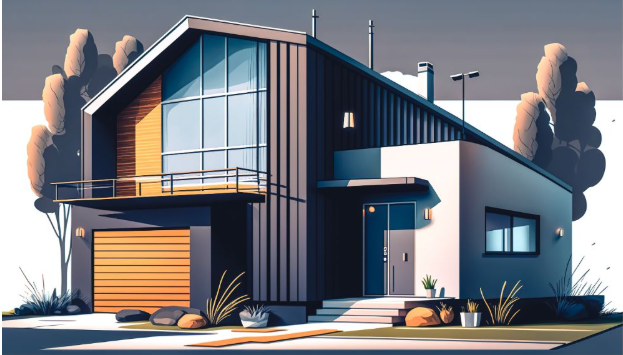
Modern design has everything to do with scalability, clarity, and creative flexibility. Designers working on brand assets, marketing visuals, UI elements, custom artworks, or anything in between want tools that can assure quality across any size or format.
That is why 2D vector graphics are widely used for scalable artwork in pretty much every design discipline. While raster formats rely on pixels, unlike their image counterparts, vectors utilize mathematical paths to define shapes-a fact that inherently lets them scale infinitely with no loss of sharpness or detail.
Besides that, 2D vector illustration gives designers who normally do customized artwork the precision, versatility, and full control in styling.
Some of the major reasons designers use vector graphics while creating professional and scalable artwork include:
1. Infinite Scalability Without Loss of Quality
While pixel-drawn images blur when they are increased in size, vectors remain sharp no matter how much you blow them up. It helps to create:
- Scalable artwork supports
- High-resolution printing
- Responsive digital layouts
- Large-format advertising
- Cross-platform consistency
Because vectors carry their quality in any dimension, designers have the confidence to work without the fear of distortion.
2. Clean, Precise Shapes for Professional Design
Vector drawing can enable the designer to offer clean lines, sharp angles, and smooth curves with some mathematical precision. This is something very important in branding, where consistent proportions and flawless shapes define the visual identity.
2D vector illustration proves particularly helpful for:
- Logos
- Icons
- Typography
- Technical Drawing
- Simplified artwork and flat design
Since vectors are precise, all the graphical elements will appear updated, neat, and professional.
3. Easy Editing and Flexible Adjustments
Yet another strong advantage of vector graphics is that they can be very easily edited. A designer can easily scale shapes, change colors, edit strokes, and adjust proportions with no image degradation.
This flexibility simplifies tasks such as:
- Refreshing or redesigning brands
- Quick Color Palette Changes
- Layout changes
- Scaling of elements on different platforms
Vector-based workflows enable creatives to be more productive while still having full creative control over their art.
4. Lightweight Files for Faster Performance
At the most detailed level of this artwork, this vector file also remains way smaller and lightweight compared to high-resolution raster images. Lighter files mean better performance for design tools, websites, and printing platforms.
These include:
- Faster loading in design software.
- File sharing and collaboration, simplified
- Better Performance for Web & Mobile UI
- Organized project workflows
Vectors also serve well for digital products and scalable branding systems, considering their file size is so small.
5. Consistent Visual Feel Across Media
The brands should appear the same from print to digital, packaging, and even environmental graphics. Vectors ensure colors, shapes, and style appear exactly the same regardless of what device or resolution the file is output on.
6. Ideal for Animation and Motion Graphics
Because vectors are lightweight and resolution-independent, they feel right at home in animation applications. And for that reason, motion designers often work with vector artwork to create animated logos, explainer videos, and dynamic UI elements.
Vector animations utilize:
- Smooth transitions
- Efficient rendering
- Crisp scaling across screens
- Easy editing for motion sequences
Professional and engaging animations are, by all means, easier to create with vector-based workflows.
7. More Color Control, Styling Options
With vector tools, advanced color management, gradients, texture, and patterns are possible. For this reason, 2D vector illustration can be considered perfect for high-detailed work that often requires style variations.
Advantages to the designers are:
- Calibrate colour for print accurately
- Easy stroke and fill adjustments
- Layer-based styling
- Gradient meshes & pattern fills
With these tools, the artists can create beautiful illustrations that look uniform across all kinds of media.
8. Better Compatibility with Modern Design Tools
Most of the modern design platforms are based on vector workflows, including Adobe Illustrator, Figma, and CorelDRAW. That is why vector graphics are so compatible with digital design ecosystems.
This compatibility ensures:
- Easy file exchange between programs
- Integrates easily into UI/UX workflows.
- Smooth adaptation to emerging technologies.
- Faster Adoption of New Design Trends
Vectors are future-proof, even as the industry is changing.
9. Essentials to Design a Logo and Create Brand Identity
Logos need to be across everything from digital icons to physical signage in a range of sizes. Vectors are the only format that keeps your logos sharp and adaptable everywhere, and that is why most professional logos start their life out as vector artwork.
2D vector graphics enable designers to:
- Create several logo variations
- Maintain perfect geometry in scaling
- Flexible Brand System Design
- Export for any output format
That versatility makes vectors the backbone of any strong visual identity.
Conclusion
By inspiring this creative capability of 2D vector illustration, designers are given full control over style, color, and form to create visuals consistent across media.
These scalable vector artworks have become so important these days, especially since brands are continuing to expand across both digital and physical platforms. This is why designers of all industries still continue to rely on 2D vector graphics as the base for high-quality creative work.